Add Google reviews to Drupal
Drupal puts this in a content block, which you then place in a region. One setting decides whether it works: the text format. A restricted format strips the <script> line and the widget never loads.
The snippet
Build a widget in the app, press Install, and you get three lines:
Copy it from the app rather than from here — your-widget-id is unique to each widget you build, and a placeholder id is the single most common reason a widget renders as Unable to load reviews.
Reviews in one region
Drupal thinks in regions rather than pages, so the same block can appear on one page or on all of them depending on how you place it.
- Go to Content → Blocks and press Add content block.
- Give it a description, then set the body's text format to Full HTML.
- Switch the editor to source view and paste all three lines.
- Save, then go to Structure → Block layout and press Place block in the region you want.
- Under Pages in the block's visibility settings, list the paths it should show on — leave it empty for every page.
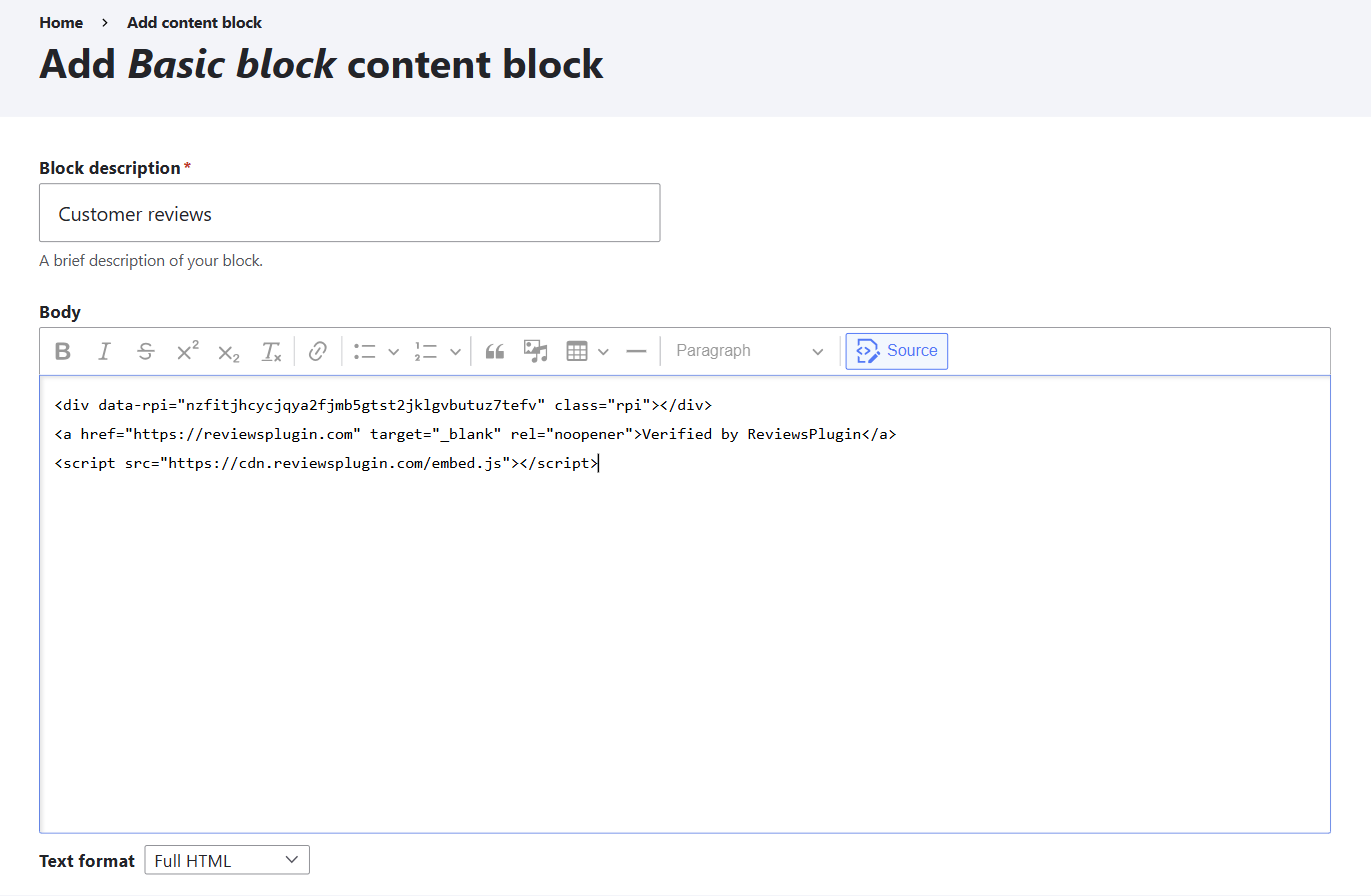
<script> line.
That is the whole job. Published, the page shows this — a live widget, running the same snippet described above:
What our customers say
Verified by ReviewsPluginA badge on every page
Same block, different placement. Leave the visibility conditions empty and the block renders everywhere the region does.
- Create a second content block for the badge, again in Full HTML.
- In Structure → Block layout, press Place block next to the Footer region.
- Leave the Pages visibility condition empty so it is not restricted.
- Save blocks.
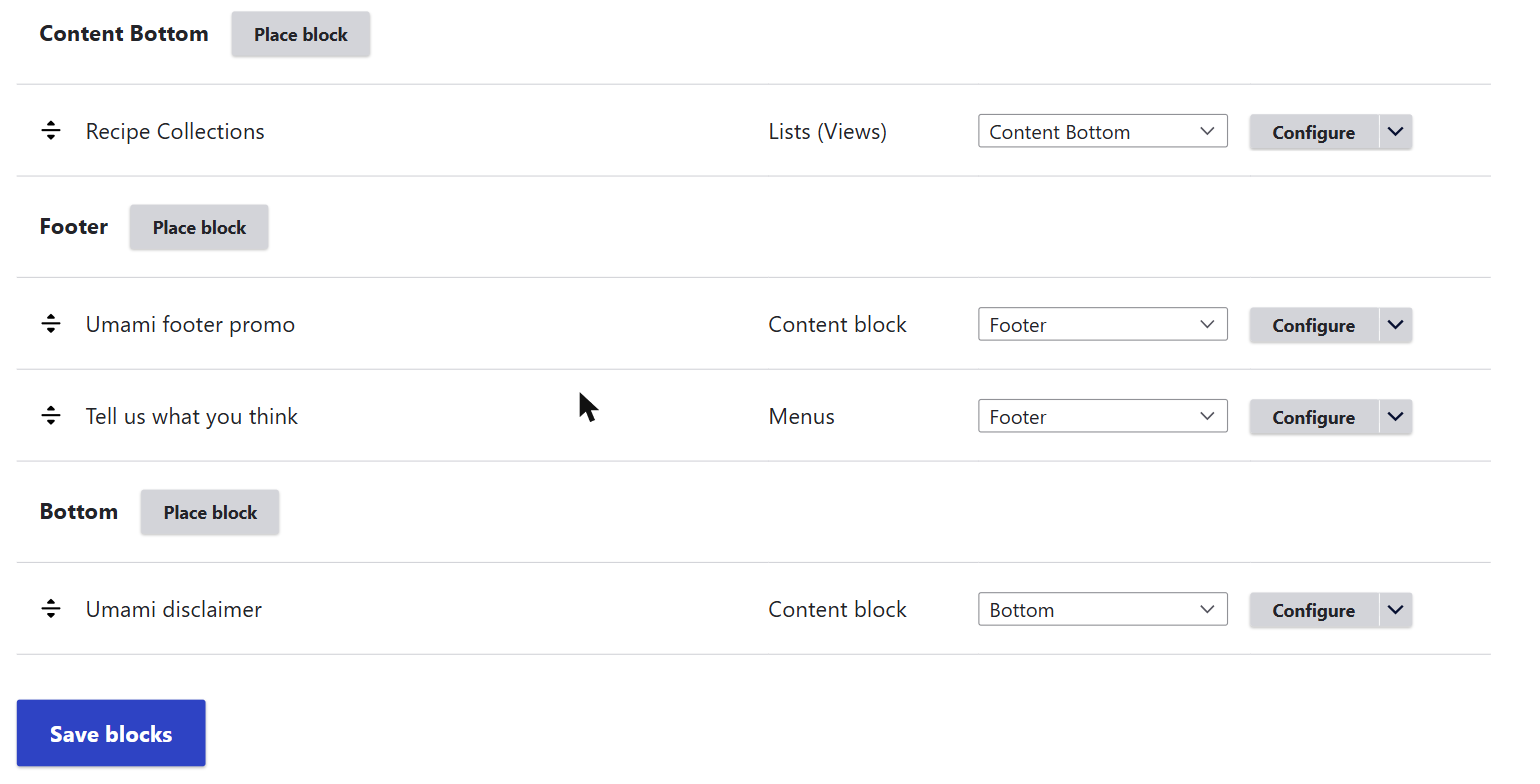
One caution worth taking seriously. Drupal's text formats are a security boundary, not a formatting preference: Full HTML lets whoever can use it run arbitrary scripts on your site. Granting it to a role you trust to edit the footer is reasonable. Loosening the format your public authors or commenters write in, so that a snippet survives, is not — on a site with several editors, the durable answer is a small theme or module that renders the markup and registers the loader, rather than a permissive format.
Before you decide it failed
Four checks, in this order
- Look at the published page, not the editor. Most builders do not run third-party JavaScript inside their own canvas, so an empty box there means nothing either way.
- Count the loaders. View source and search for
embed.js. It should appear exactly once, however many widgets the page has. - Check both widths. Reviews are taller on a phone than you expect, and some containers clip rather than grow.
- Confirm the attribution is visible and still a sibling of the widget, not inside it — on the free plan that is a condition of use.
If nothing appears
In Drupal the answer is nearly always the text format:
- The script tag was stripped. On a standard Drupal install, Full HTML is the format that keeps it and the other two do not. Text formats are configurable, though, so on a site with its own formats what you need is simply one that does not filter
<script>— ask whoever configured them. Either way, reopen the block and check: the tag is already gone from what you saved, so you have to paste it again after fixing the format. - CKEditor removed it even on a permissive format. The editor sanitises what it does not recognise. Press the Source button and paste there instead. Do not reach for the Plain text format to get around this — that one exists to display HTML as text and will escape the snippet on purpose.
- The block is not placed. Creating a content block does not display it. It has to be placed in a region under Structure → Block layout.
- Caches.
drush cr, or Configuration → Performance → Clear all caches. - Check the widget id. Unable to load reviews means the script ran and the id in
data-rpidoes not match a widget.
Still nothing? Send us the page address and we will look at it.
Where this was checked
Admin screens get renamed. These are the pages this guide was written against, and what each one settles — checked August 2026.
- Creating a custom block.
- Managing blocks — regions and visibility.
On another open-source CMS? Joomla, WordPress, or go back to all platforms.